
Graphic Design · Information Design · Data Visualization · Illustration · Print Production
Turning HPV cancer-prevention data into a visual story audiences can understand in seconds.
For this CDC HPV vaccination infographic, I translated complex cancer-prevention information into a clear visual narrative for caregivers, young adults, clinicians, and public-health audiences.
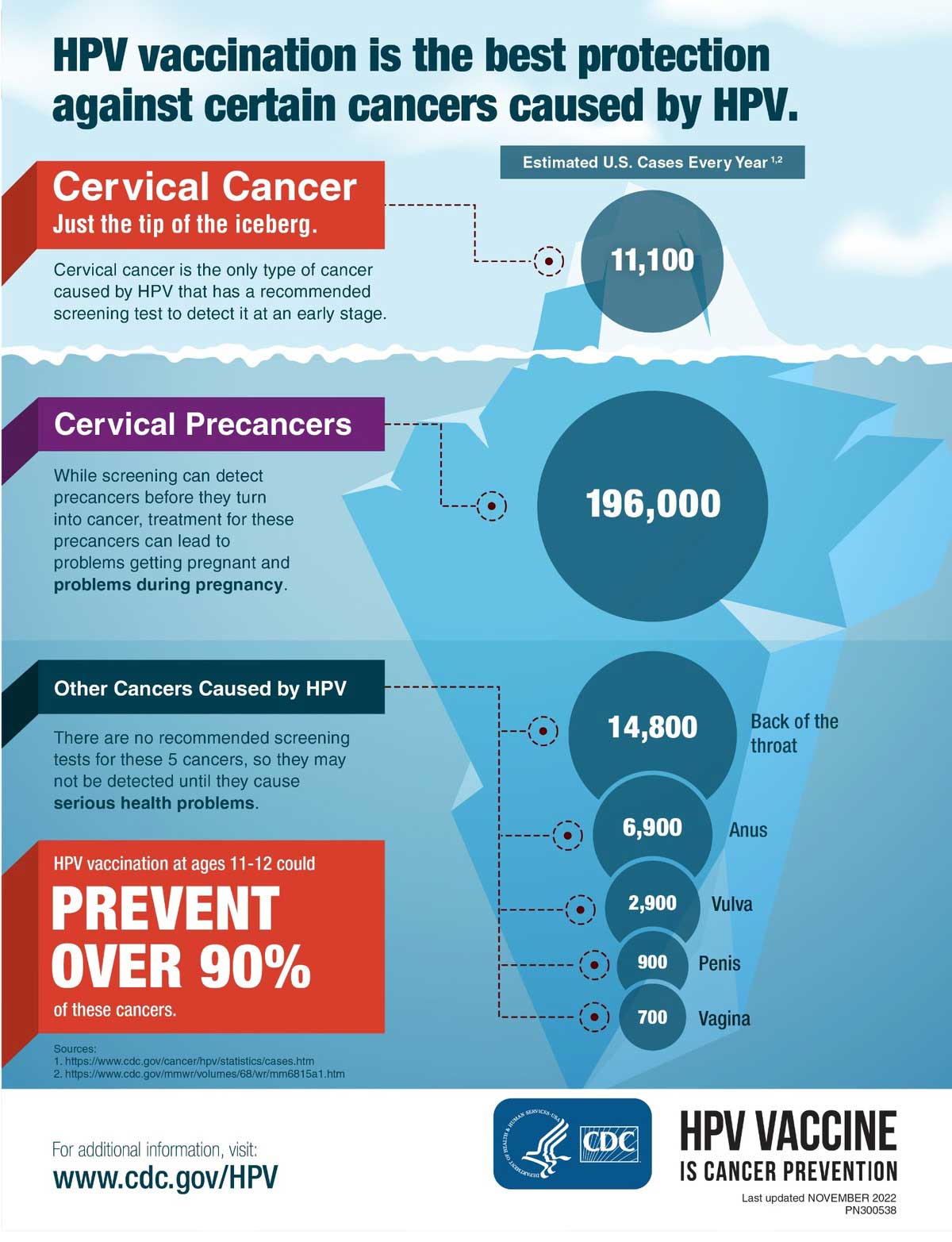
The core design decision was an iceberg metaphor: what appears above the surface introduces the familiar cancer story, while the larger structure below reveals the broader HPV-related burden and leads the viewer toward the prevention message.
Project overview
The challenge was not simply presenting statistics. It was making the prevention story immediately understandable.
The infographic needed to connect HPV vaccination, multiple cancer types, screening context, and a strong prevention takeaway without overwhelming viewers with medical language or disconnected numbers.
Visual design, information design, illustration, data visualization, layout, typography, and print production.
Turn complex public-health information into a fast, memorable story that supports both scanning and deeper reading.
Adobe Illustrator for vector illustration, layout construction, typographic hierarchy, data graphics, and production-ready artwork.
A CDC HPV vaccination infographic prepared for print-ready and digital distribution contexts.
The challenge
Several audiences needed to understand the relationship between HPV, cancer burden, screening, and prevention without reading a dense report first.
The goal
Create a credible public-health visual that communicates the main prevention message quickly while preserving enough context for informed discussion.
My response
I combined a memorable iceberg metaphor, scaled data circles, color-coded sections, strong typography, connector lines, and a prominent prevention callout.
Audience + information UX
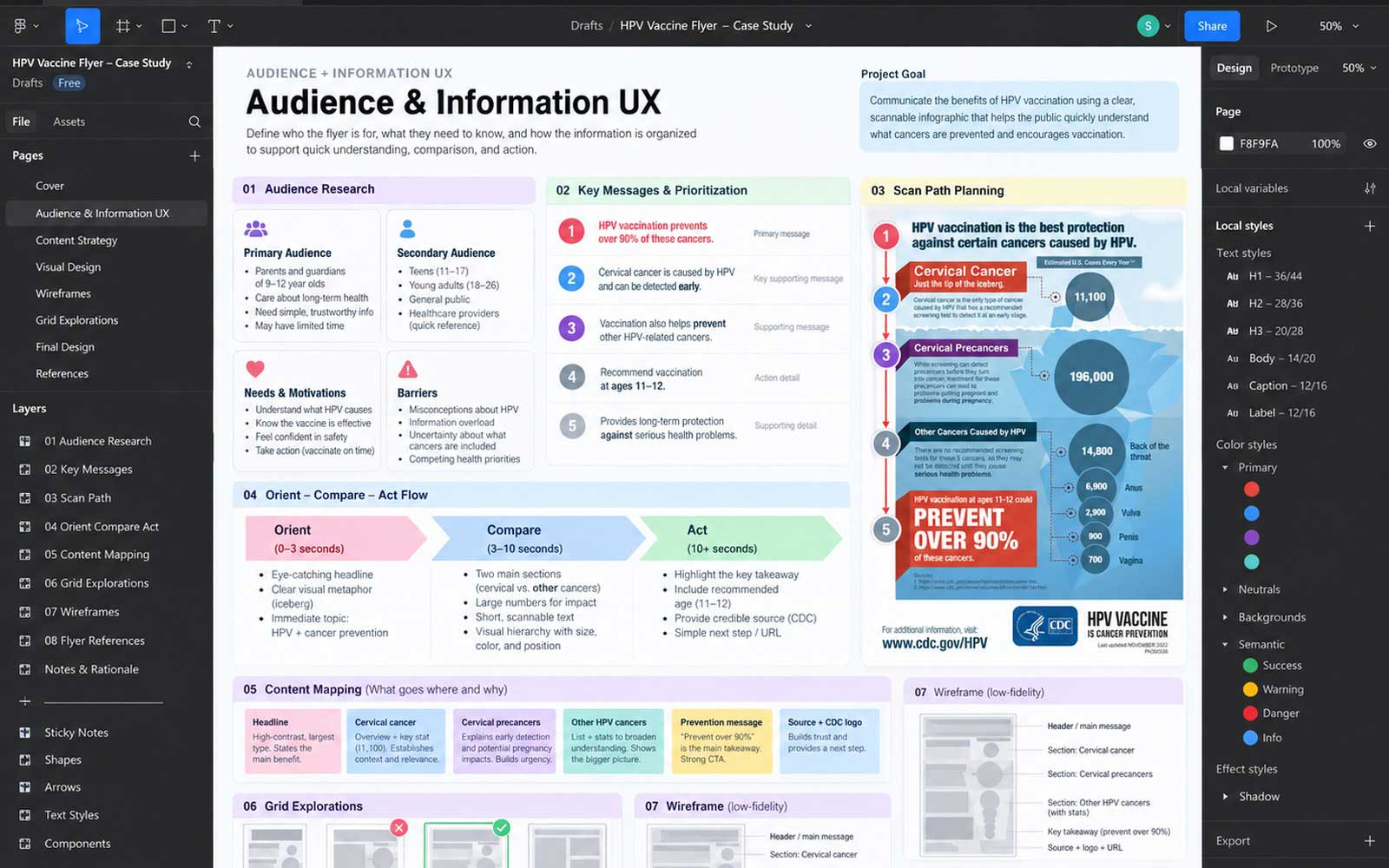
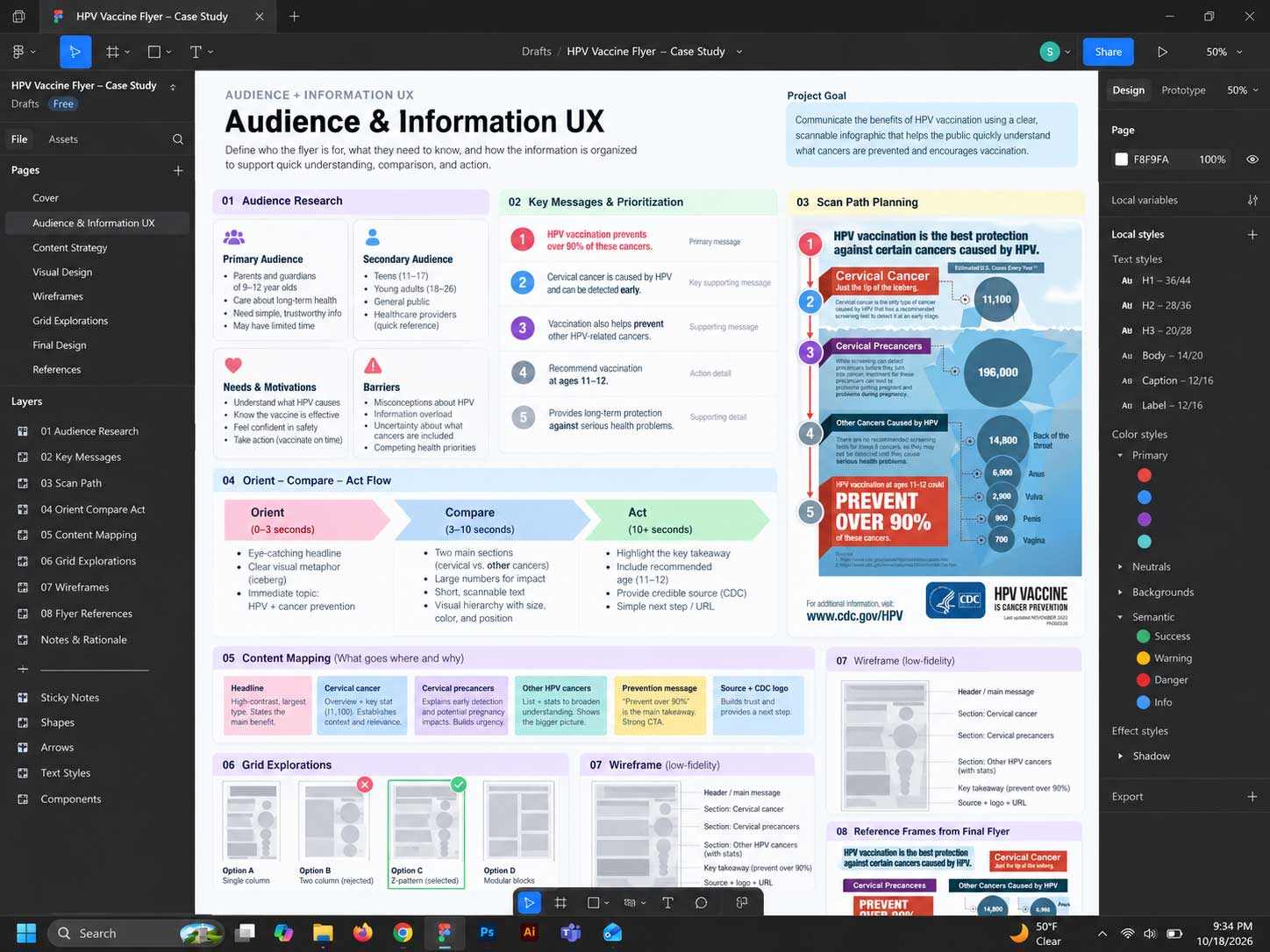
I structured the infographic around what viewers needed to understand first, next, and last.
Caregivers, young adults, clinicians, and public-health communicators may enter the content with different levels of knowledge. The layout therefore needed a clear scan path that could work in a handout, on screen, or as a conversation aid.
- Orient quickly: Lead with the vaccination and cancer-prevention relationship so the purpose is clear before the viewer reaches the data.
- Explain hidden burden: Use the iceberg metaphor to communicate that the familiar cervical-cancer story is only part of the larger picture.
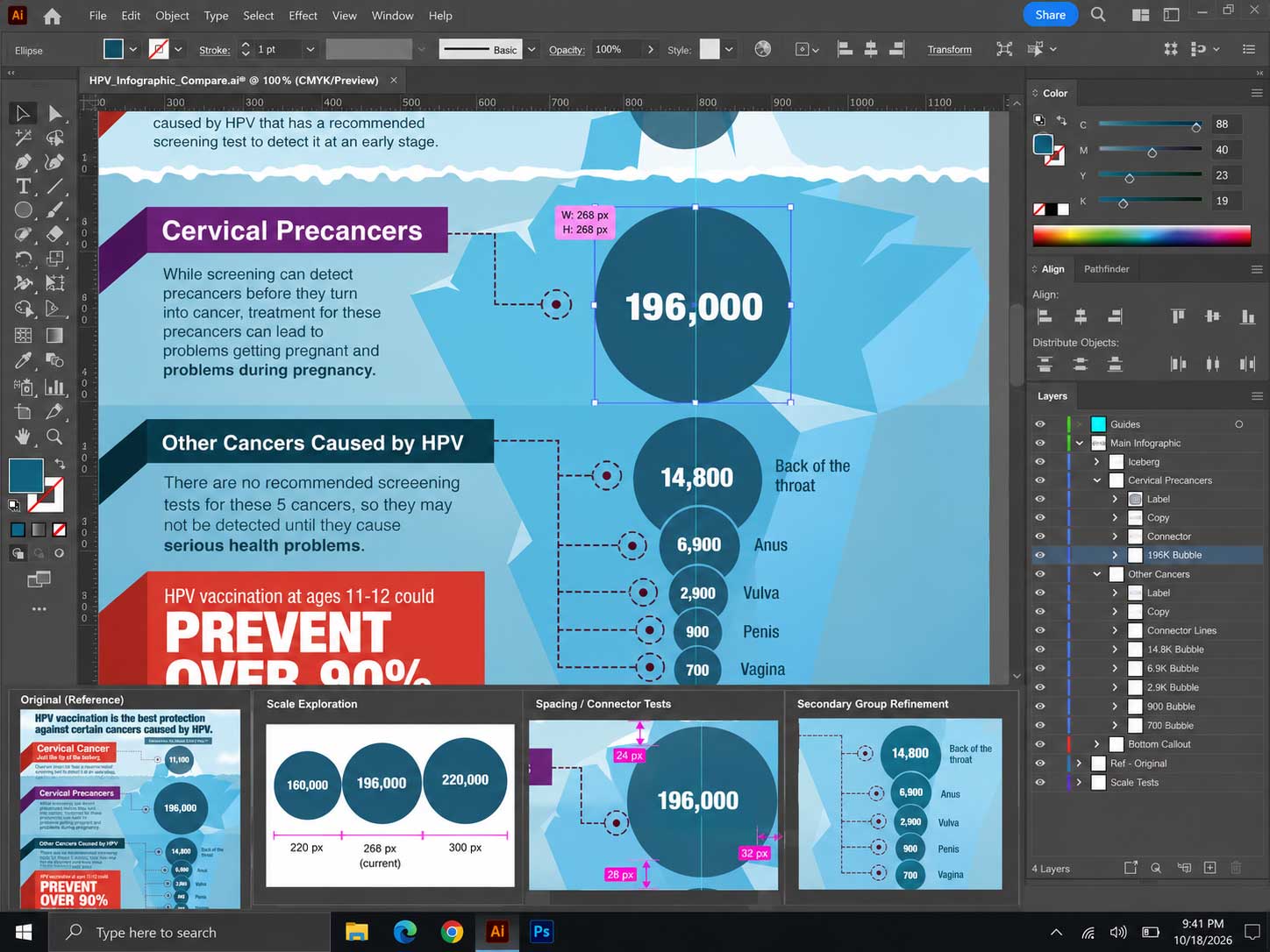
- Support comparison: Group cancer information around scaled circles and labels rather than forcing viewers to compare numbers in a paragraph.
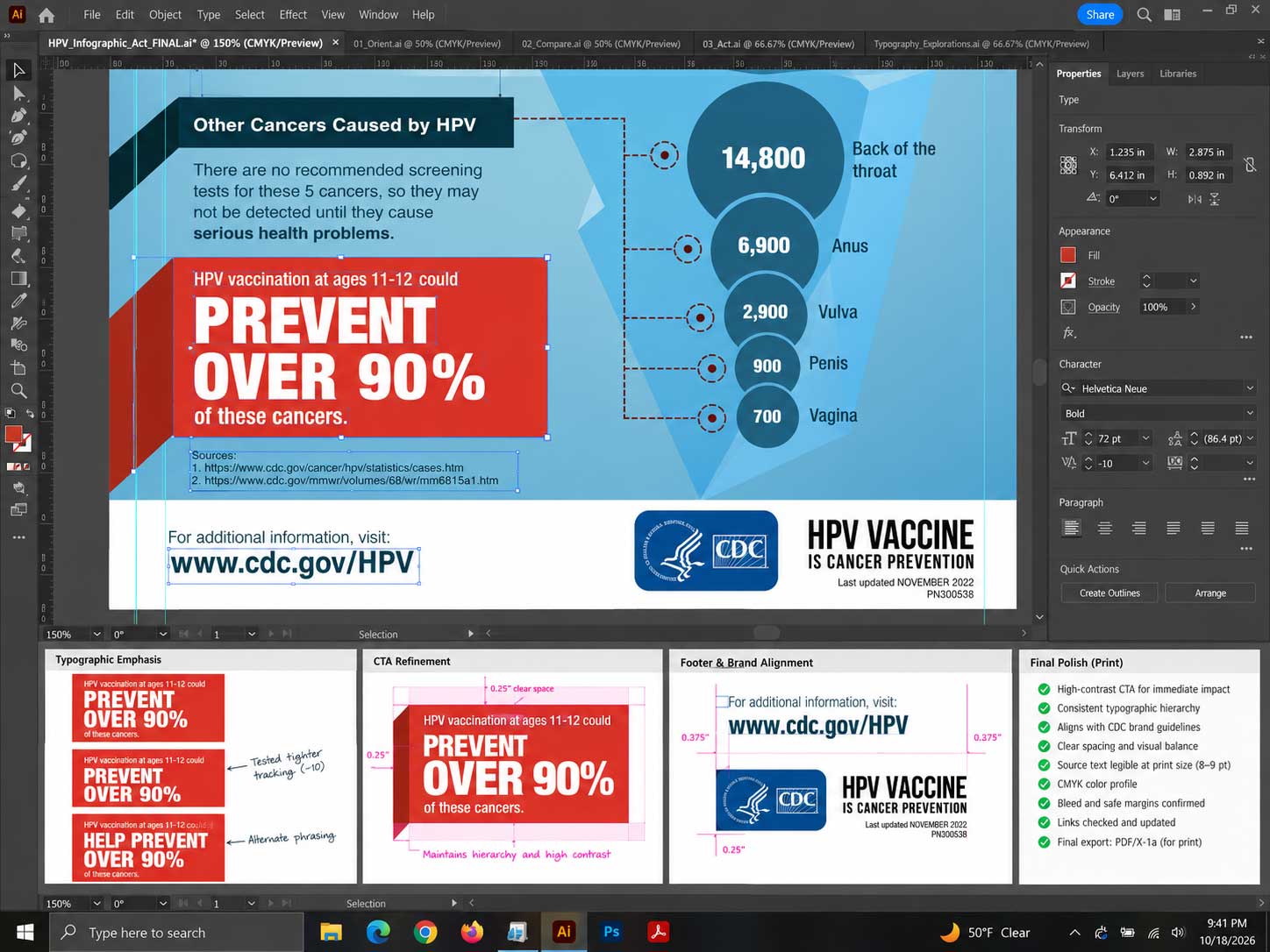
- End with action: Give the prevention message its own high-contrast zone so the primary takeaway remains easy to remember.
Creative direction + visual system
The visual language had to feel credible enough for public health and memorable enough to support prevention messaging.
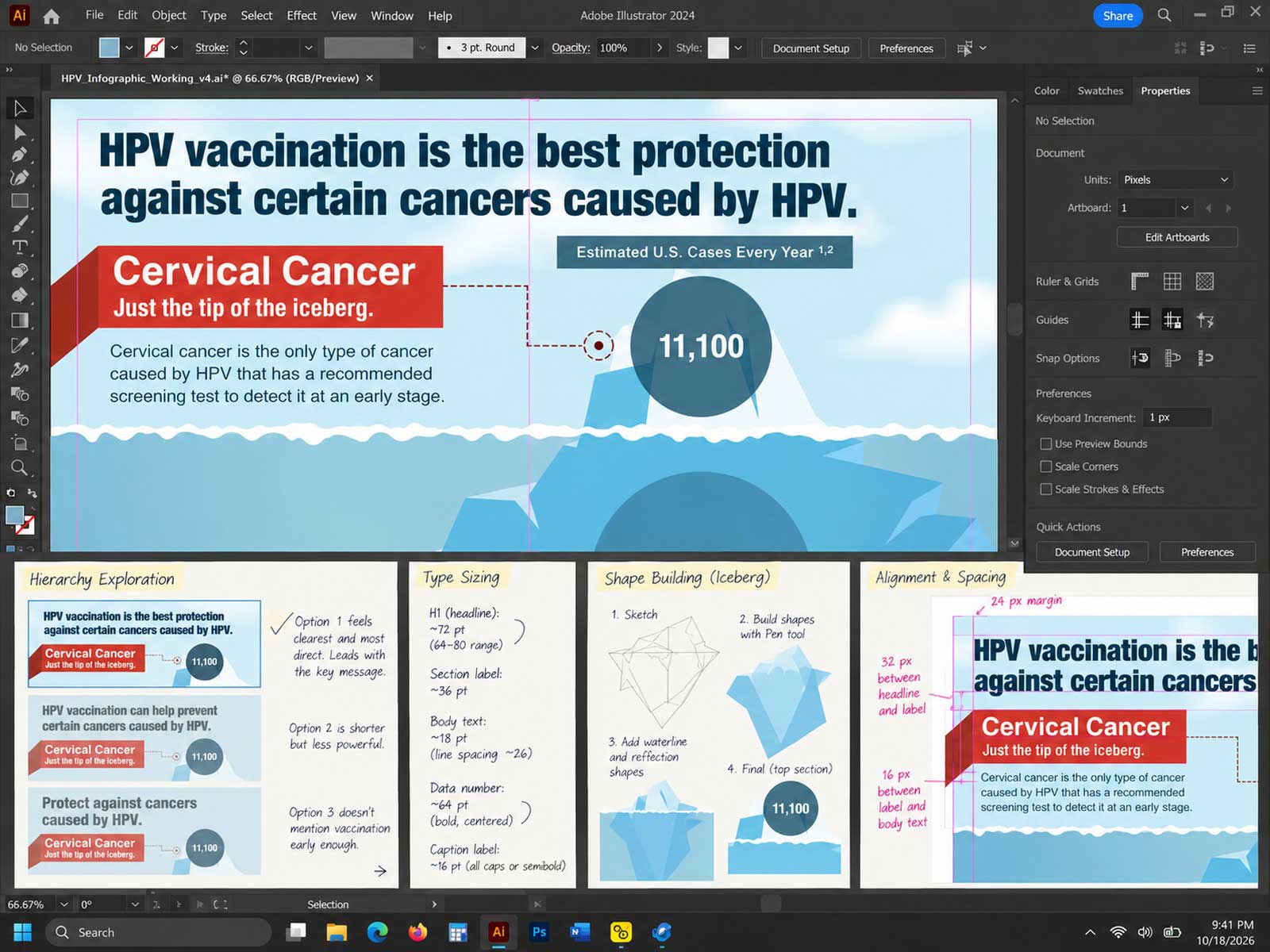
The design uses cool healthcare blues for trust and continuity, warmer accent colors for priority messages, and a modular visual hierarchy that separates narrative, comparison, and action.
Visual metaphor
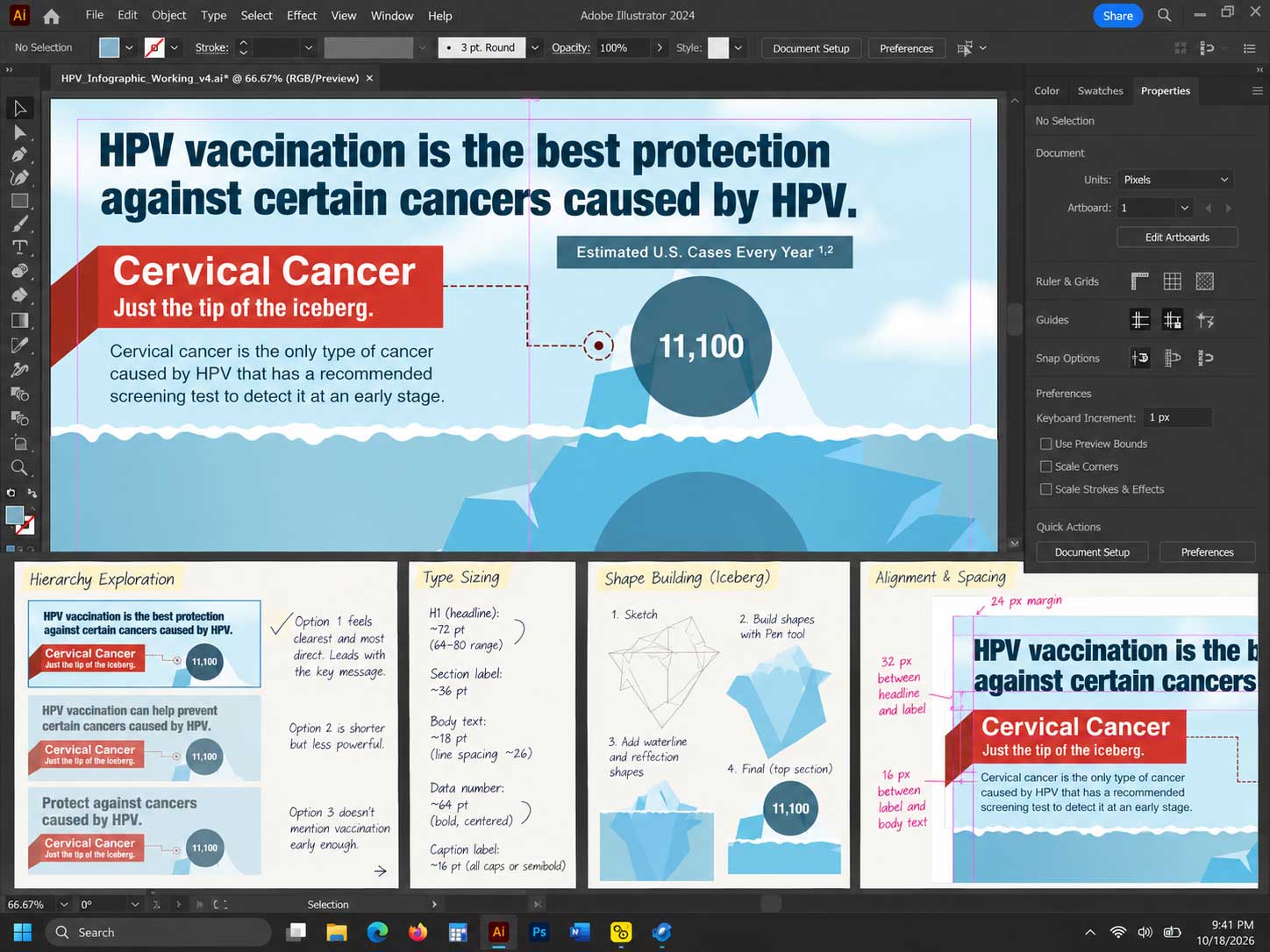
The iceberg turns a complex relationship into a single organizing idea that can be understood before every statistic is read.
Progressive disclosure
Information moves from headline to cancer context, comparison, and prevention rather than presenting all facts with equal weight.
Color coding
Distinct red, purple, teal, and blue zones help separate information types while maintaining one cohesive public-health palette.
Editorial hierarchy
Large headlines, concise subheads, compact explanatory copy, and clear source areas support both scanning and closer reading.
Data visualization + comparison
The data needed to feel comparative and visual, not like a list of disconnected statistics.
Scaled circles establish relative emphasis, while connector lines and direct labels keep the relationship between each value and cancer type visible without requiring a separate legend.
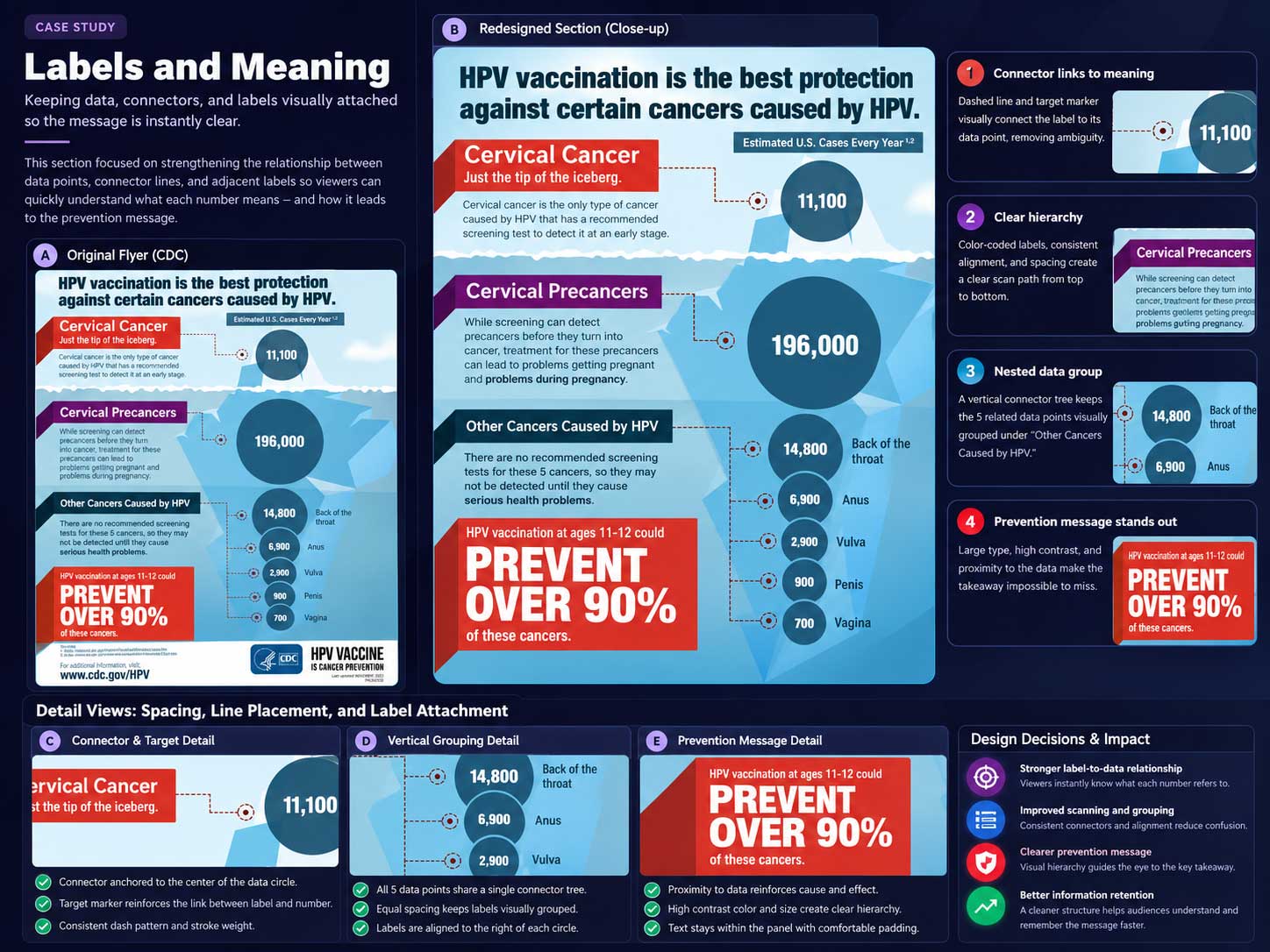
Design + production process
A four-step path from dense public-health content to a focused visual narrative.
Each step reduced complexity before visual polish: identify the essential story, sequence the information, build the visual system, then refine the piece for production and distribution.
-
01
Distill
Identify the core prevention message, cancer categories, screening context, supporting statistics, source requirements, and audience needs.
-
02
Structure
Build the reading path from risk and context into comparison, then reserve a high-visibility area for the prevention takeaway.
-
03
Visualize
Develop the iceberg illustration, scaled circles, connector logic, section colors, typography, and spacing as one integrated composition.
-
04
Refine + deliver
Check alignment, contrast, text hierarchy, source visibility, brand presentation, and final artwork for print-ready and digital distribution contexts.
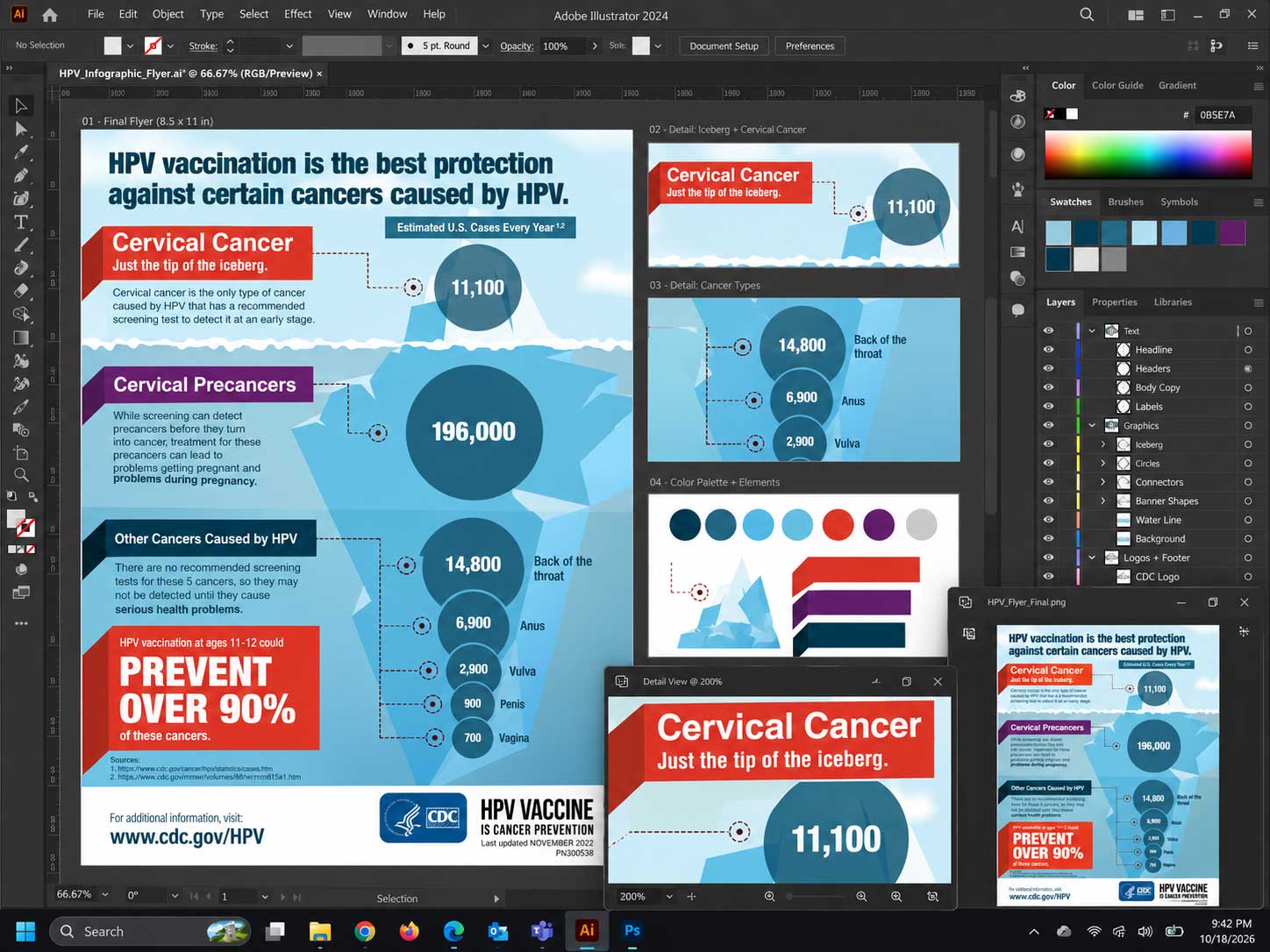
Final infographic
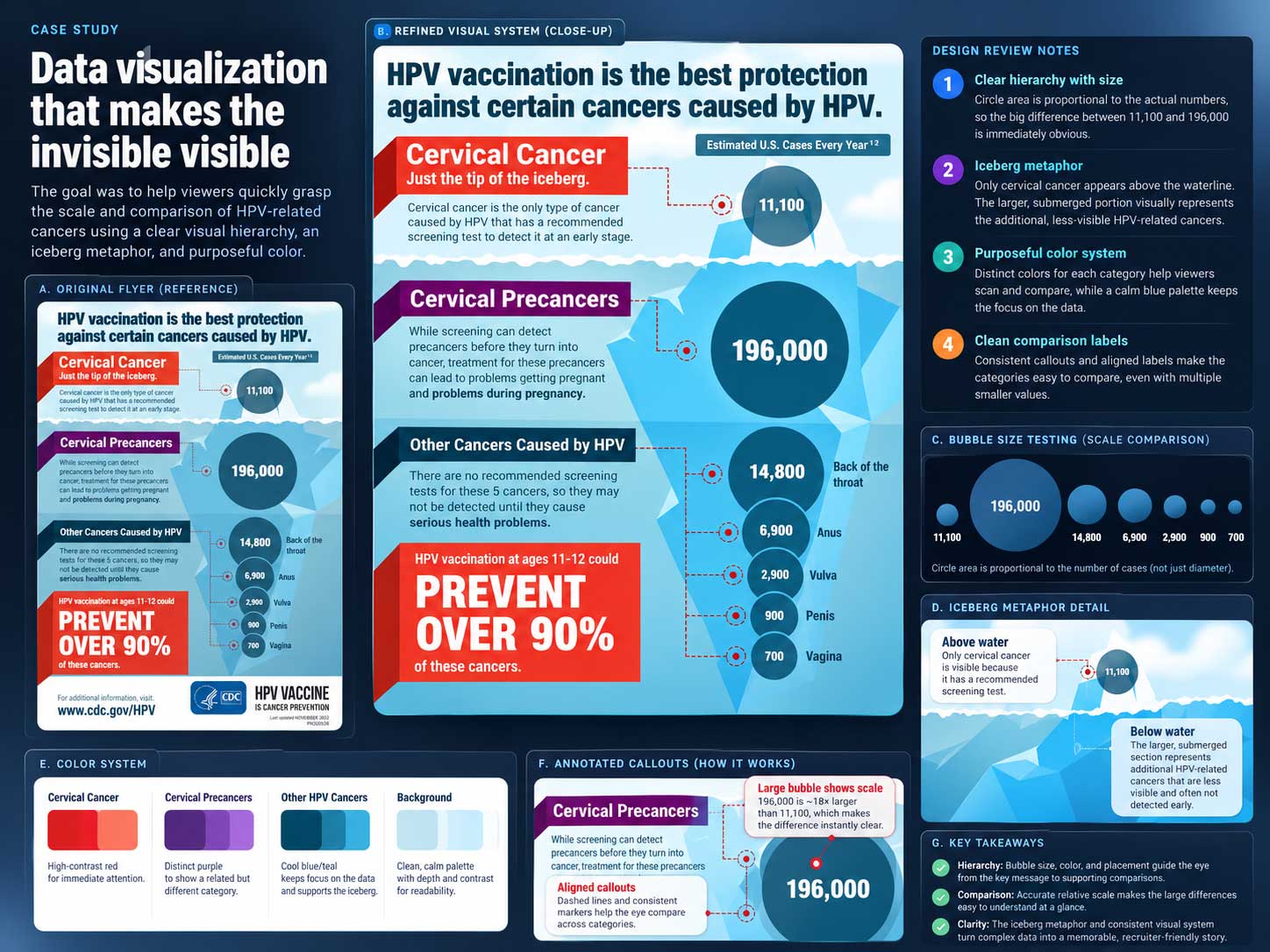
The final piece balances public-health credibility with a clear, memorable prevention story.
The composition gives viewers multiple entry points: a strong headline for immediate orientation, a visual metaphor for understanding, comparative data for context, and a prevention message designed to remain memorable.
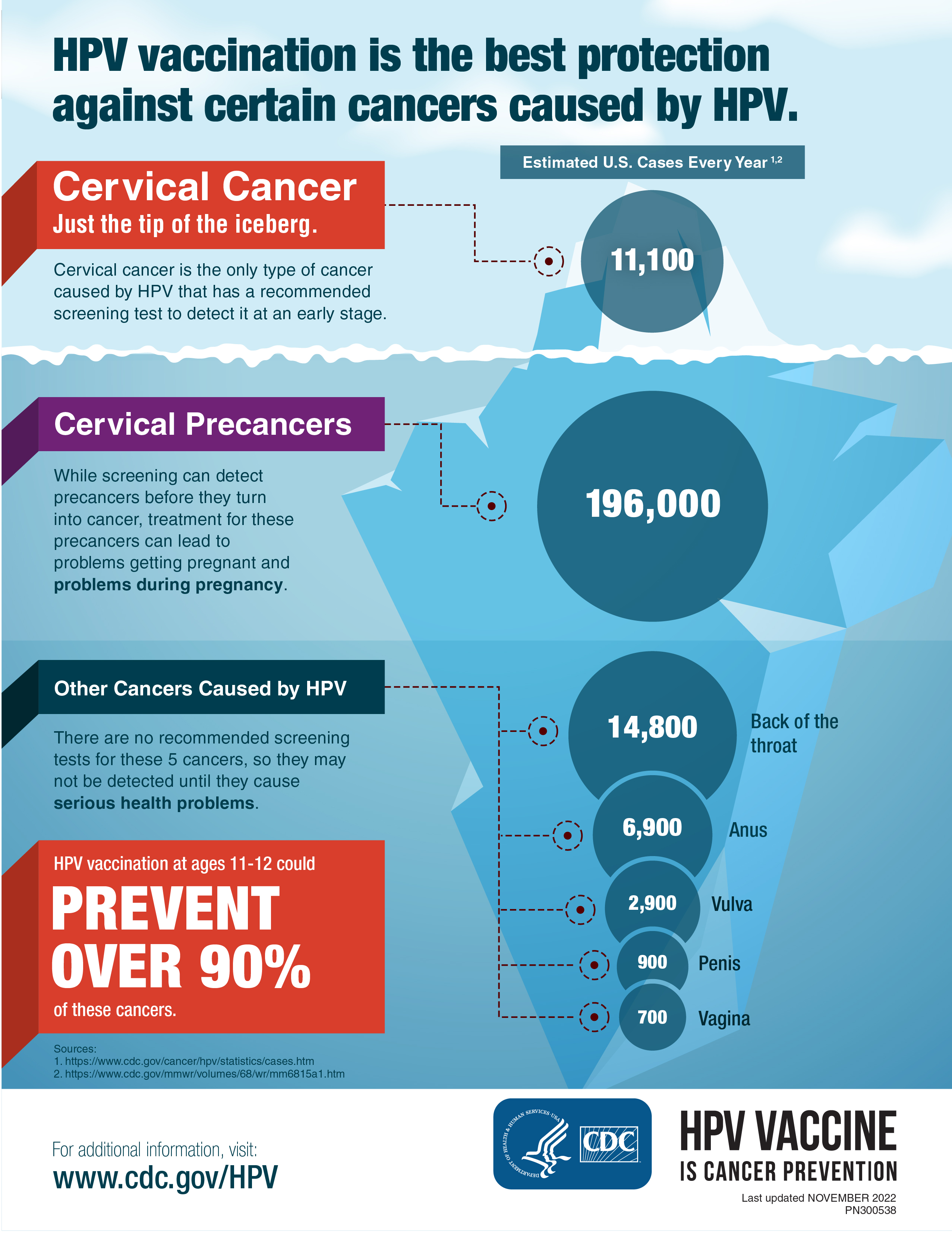
Recognize
A bold headline and clear opening section establish what the infographic is about immediately.
Understand
The iceberg and data circles transform complex relationships into a visual comparison viewers can follow.
Remember
The prevention callout gives the piece a strong final takeaway instead of ending with another block of data.
Design outcome
A complex health topic became easier to scan, discuss, and remember.
The final infographic uses hierarchy, illustration, and data visualization to reduce cognitive load while preserving the credibility and source context expected from a CDC communication.
Faster comprehension
Strong section hierarchy and a single organizing metaphor help viewers understand the structure of the story before reading every detail.
Stronger comparison
Scaled visual forms and direct labeling make the relative cancer information easier to compare than a text-only presentation.
Flexible communication
The finished layout supports printed handouts and digital distribution while maintaining one consistent visual story.
Design perspective