
Data Visualization · UX/UI Research · Graphic Design · Motion Design
Turning years of opioid dispensing data into a motion-led public-health story.
For a CDC opioid-prevention communication, I transformed state-level dispensing-rate data from 2006 through 2020 into an animated U.S. map that made geographic differences and changes over time easier to scan, compare, and understand.
The work combined UX/UI thinking, SME collaboration, visual hierarchy, data visualization, and motion design. Rather than asking the audience to interpret a dense analytical table, I designed a guided visual system in which color, geography, time, and motion work together to communicate the story.
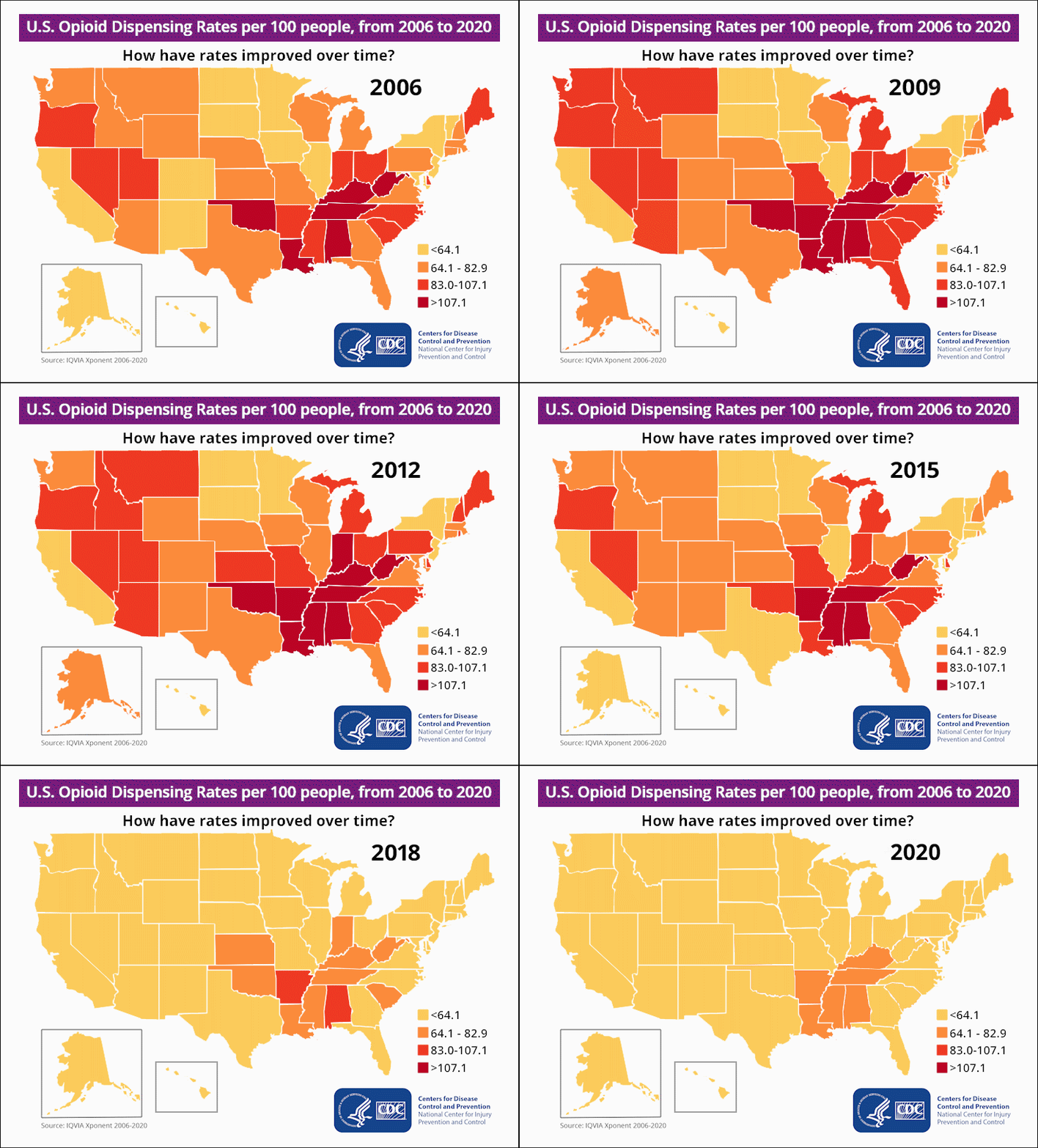
Project overview
The design problem was not simply to show the data. It was to make the change understandable.
A multi-year, state-by-state public-health dataset can become difficult to interpret when every value competes for attention at once. I approached the assignment as an information-design and usability problem: identify what the audience needs to notice first, establish a visual encoding that can be learned quickly, then use motion to reveal the time-based pattern without adding unnecessary complexity.
UX/UI research, SME collaboration, data-visualization design, map graphics, visual hierarchy, motion sequencing, and final GIF production.
Translate analytical, state-level rate data into an experience that communicates geographic variation and long-term change without forcing viewers to decode a spreadsheet.
Create a consistent map system, preserve stable reference elements, use a four-step color scale, and animate the years in sequence so the audience can focus on change.
An animated U.S. opioid-dispensing-rate visualization designed for clear digital communication and repeatable use in public-health content.
The challenge
Multiple years, every state, four rate ranges, and a serious public-health subject all had to be communicated inside one compact visual system.
The goal
Help viewers recognize where dispensing rates were higher or lower and understand how the national pattern changed over time with minimal cognitive effort.
My response
I combined research, SME input, color-coded mapping, controlled hierarchy, and timed motion to turn the analytical data into a concise visual narrative.
UX/UI research + SME collaboration
I used research and subject-matter expertise to decide what the visualization needed to communicate first.
Before building the animation, I worked with subject-matter experts to understand the purpose of the data, the meaning of the rate ranges, the audience context, and the information that needed to remain visible while the years changed. That collaboration helped separate essential interpretation cues from secondary detail.
My UX/UI research focused on how a viewer would scan the composition: map first, year second, legend for interpretation, then source and agency information for context. That reading order informed the layout, relative scale, contrast, spacing, and motion behavior of the final piece.
- Audience need: Make the long-term pattern understandable without requiring specialized data-analysis knowledge.
- SME alignment: Confirm the intended interpretation, labeling, category structure, and supporting context before visual production.
- Usability: Keep the year, legend, geography, and rate encoding predictable so viewers do not have to relearn the interface from frame to frame.
- Content priority: Let the state colors carry the story while branding and attribution remain visible but secondary.
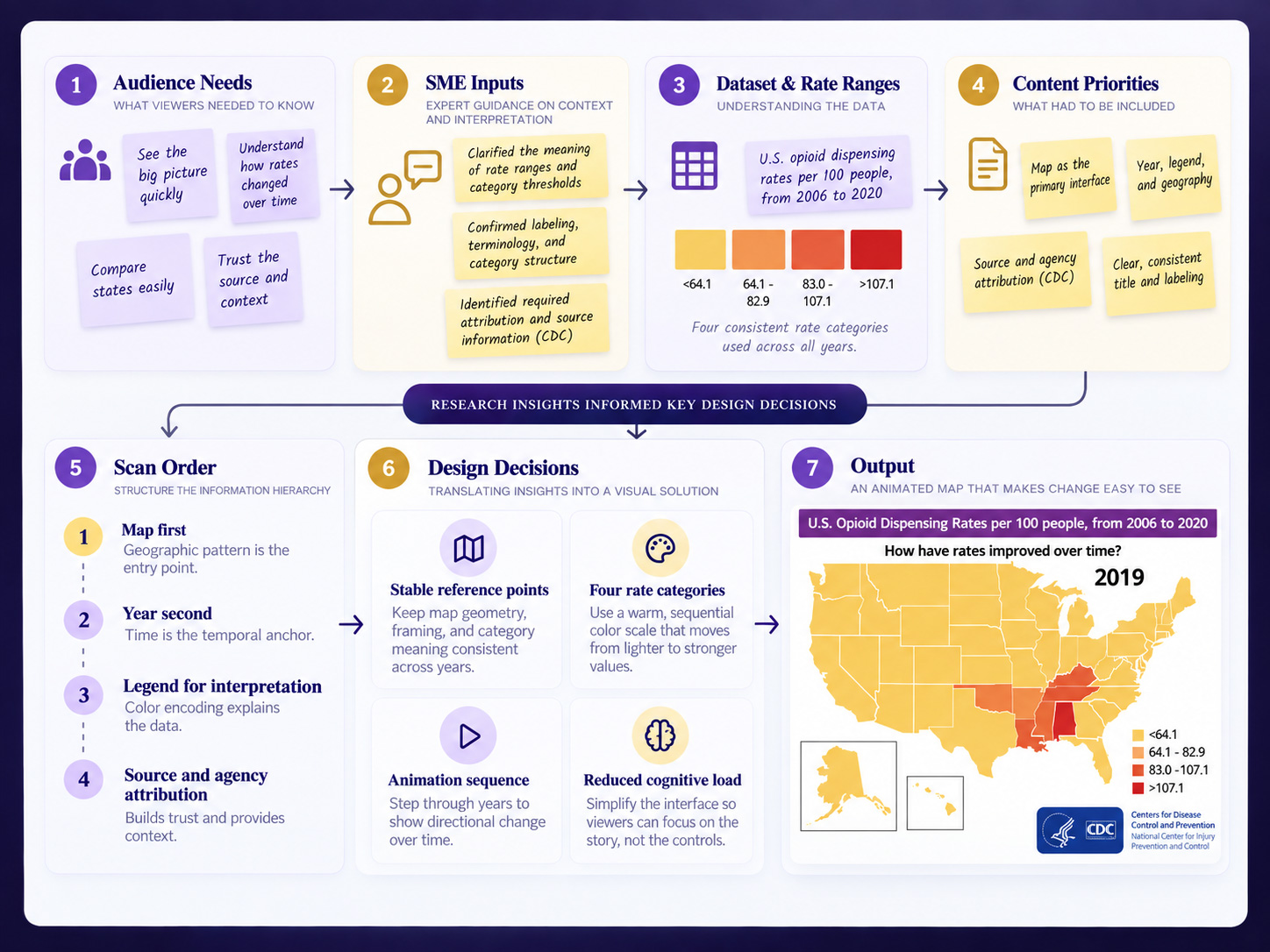
From analytics to data visualization
I translated numeric categories into a visual language the audience could read at a glance.
The source material contained quantitative rate information, but the communication goal was comparative rather than spreadsheet-driven. I mapped the values to four consistent visual categories and used the same scale throughout the sequence. This allowed viewers to compare states spatially and recognize directional change over time without introducing a new chart or interaction for every year.
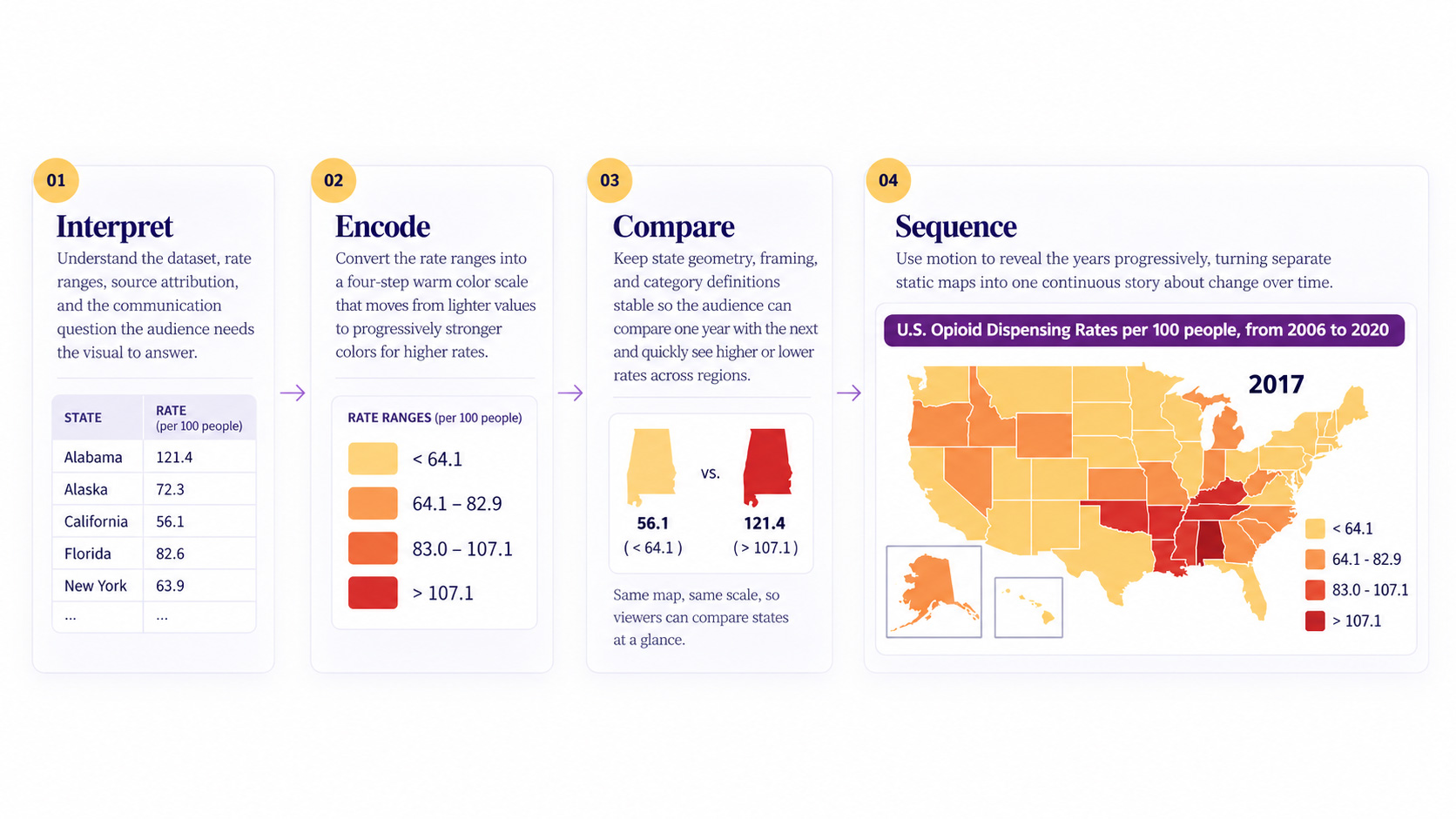
Interpret
Understand the dataset, rate ranges, source attribution, and the communication question the audience needs the visual to answer.
Encode
Convert the rate ranges into a four-step warm color scale that moves from lighter values to progressively stronger red tones.
Compare
Keep state geometry, framing, and category definitions stable so the audience can compare one year with the next.
Sequence
Use motion to reveal the years progressively, turning separate static maps into one continuous story about change over time.
Visual system + information hierarchy
The interface stays stable so the data can change without the viewer losing orientation.
The map is the dominant interface. The year functions as the temporal control, the legend explains the color encoding, and the Alaska and Hawaii insets preserve geographic completeness without distorting the primary composition. The title, source line, and CDC identity provide context while remaining outside the main comparison path.
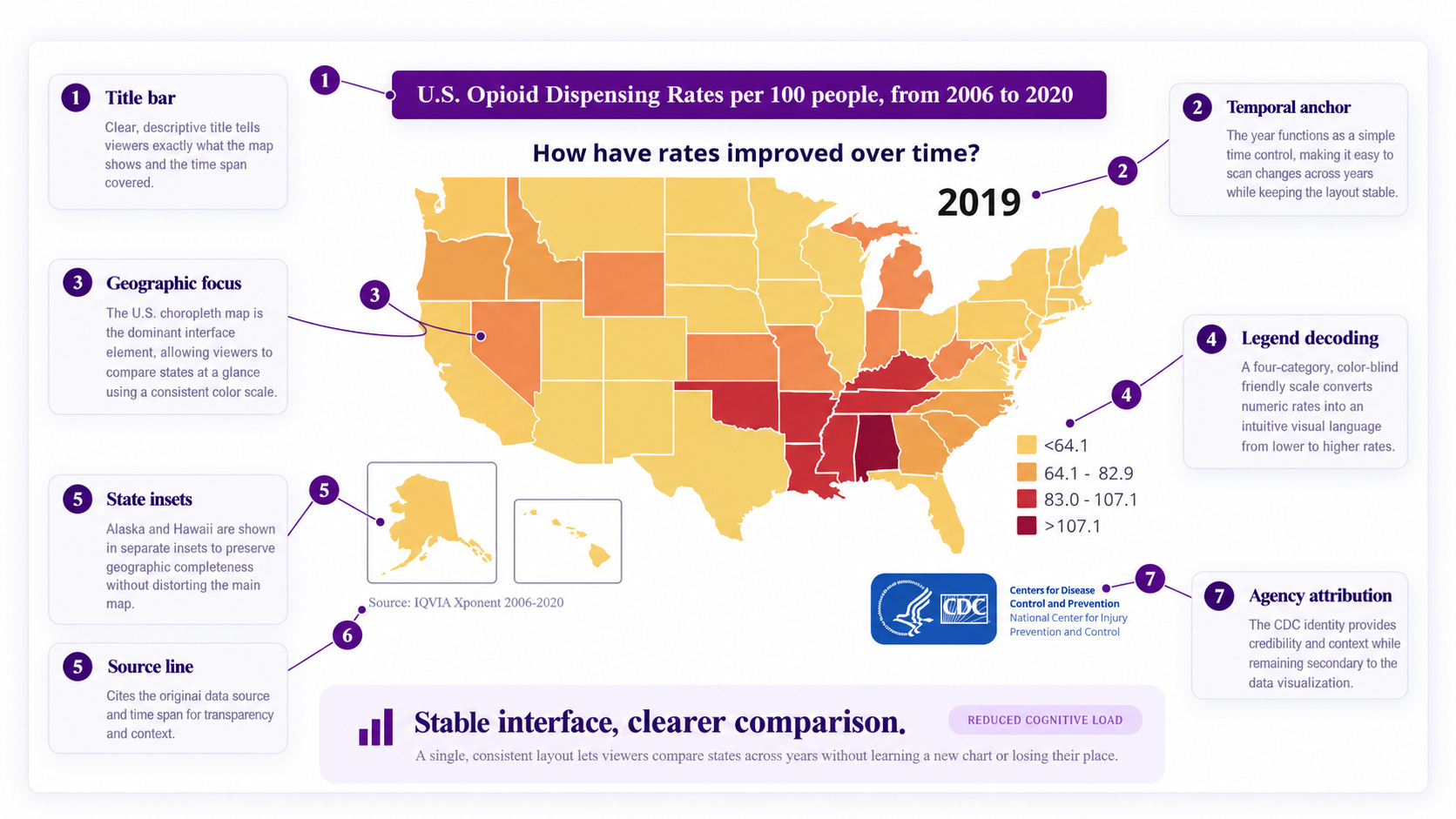
Geographic focus
The U.S. map occupies the largest visual area so viewers can immediately compare state-level patterns.
Four-category scale
The legend uses <64.1, 64.1–82.9, 83.0–107.1, and >107.1 to move from light yellow through orange and red.
Temporal anchor
A large year label gives every frame an immediate time reference while the geographic layout remains unchanged.
Reduced cognitive load
Consistent placement, strong contrast, limited text, and repeatable visual cues make the sequence easier to scan and interpret.
Adobe production workflow
Illustrator, Photoshop, and Premiere Pro each solved a different part of the design problem.
I built the project as a cross-application workflow rather than treating the GIF as a single-file graphic. Vector construction, visual composition, and temporal sequencing were handled in the tool best suited to each stage, which made the system easier to control and refine.
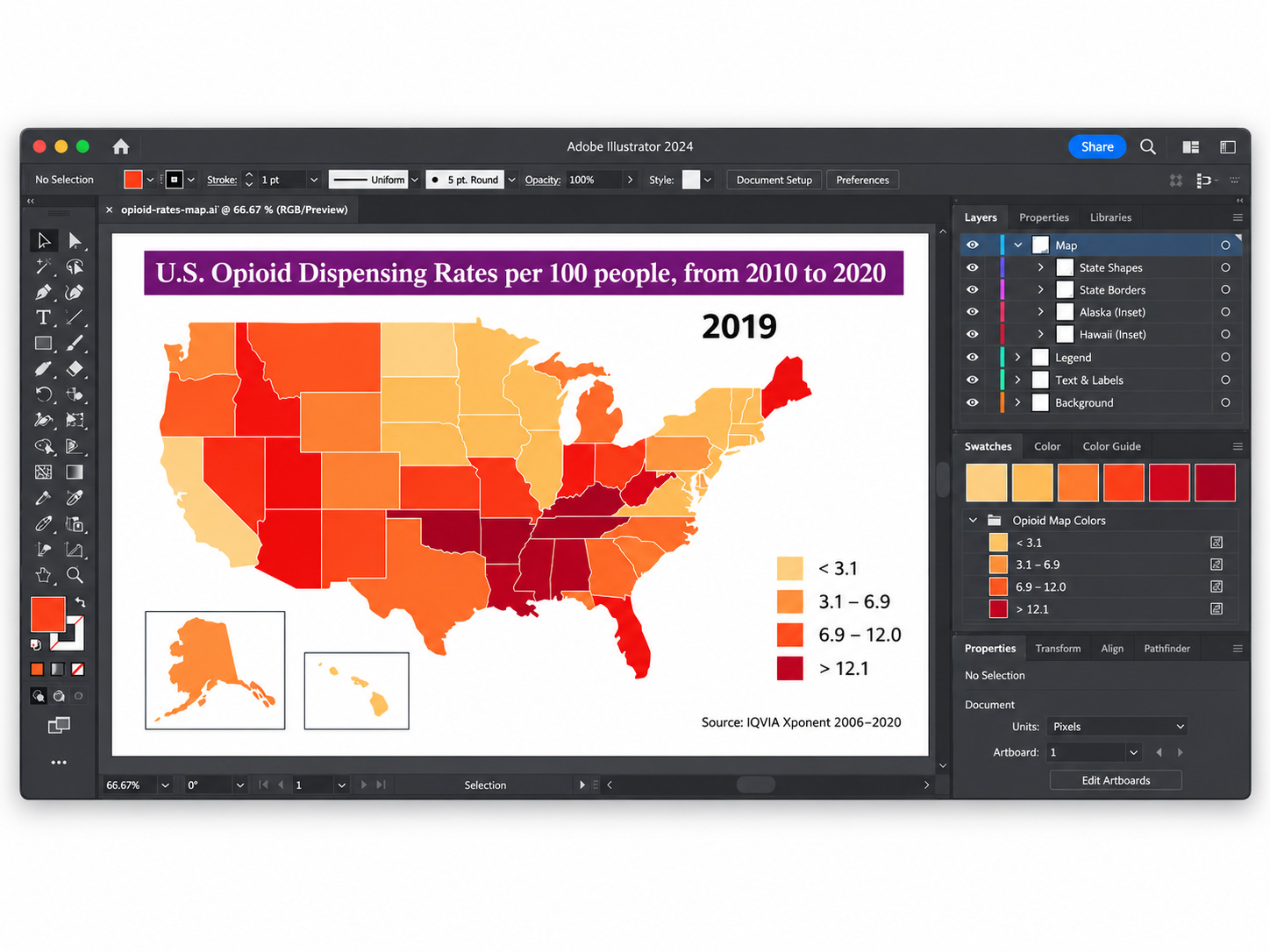
Build the map system
I used Illustrator for the vector-based map structure, state boundaries, geographic insets, and repeatable color application needed to keep every frame visually consistent.
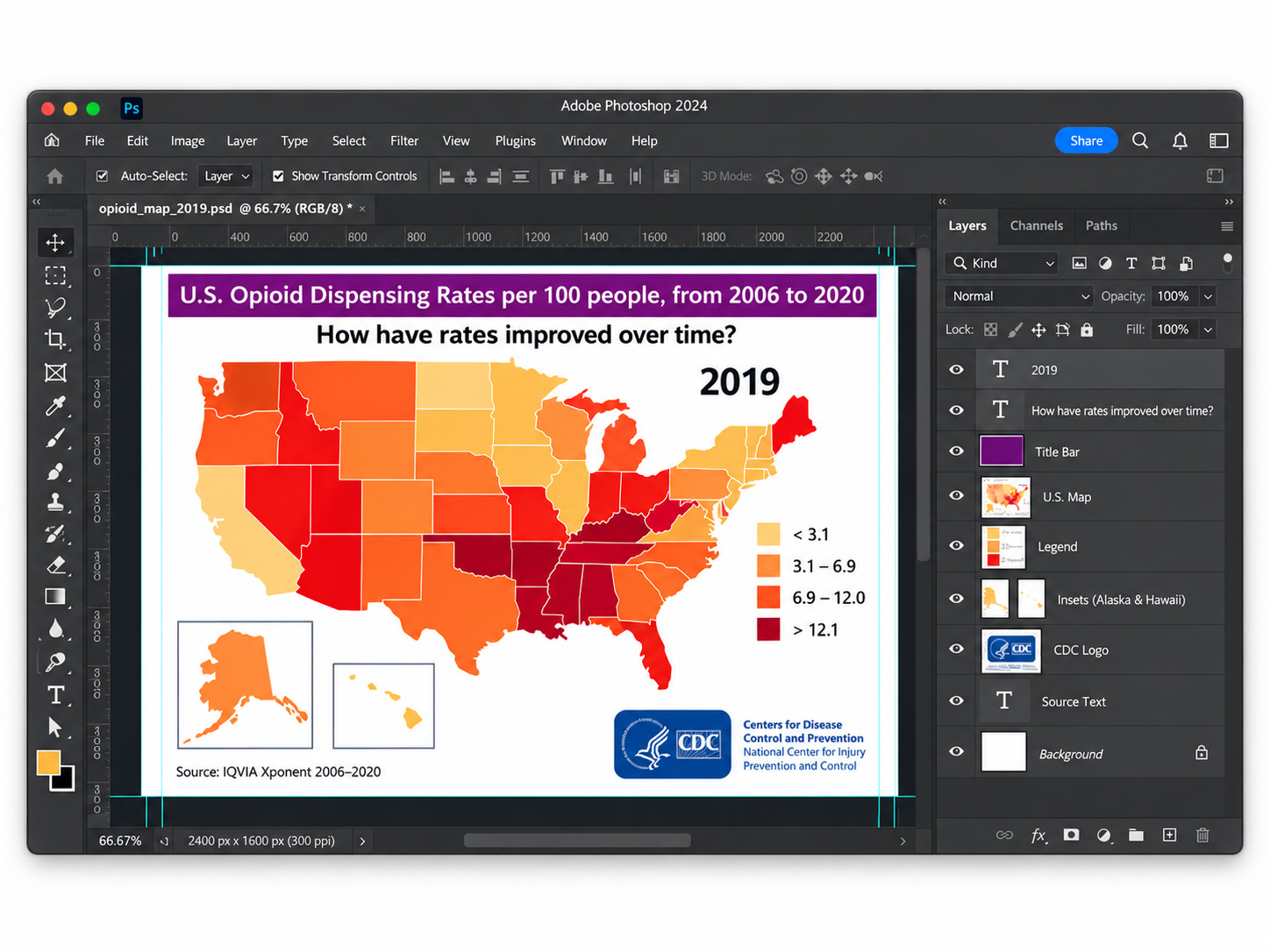
Compose and refine the frames
Photoshop supported frame composition, hierarchy checks, typography, legend treatment, branding, source attribution, and pixel-level refinement before animation assembly.
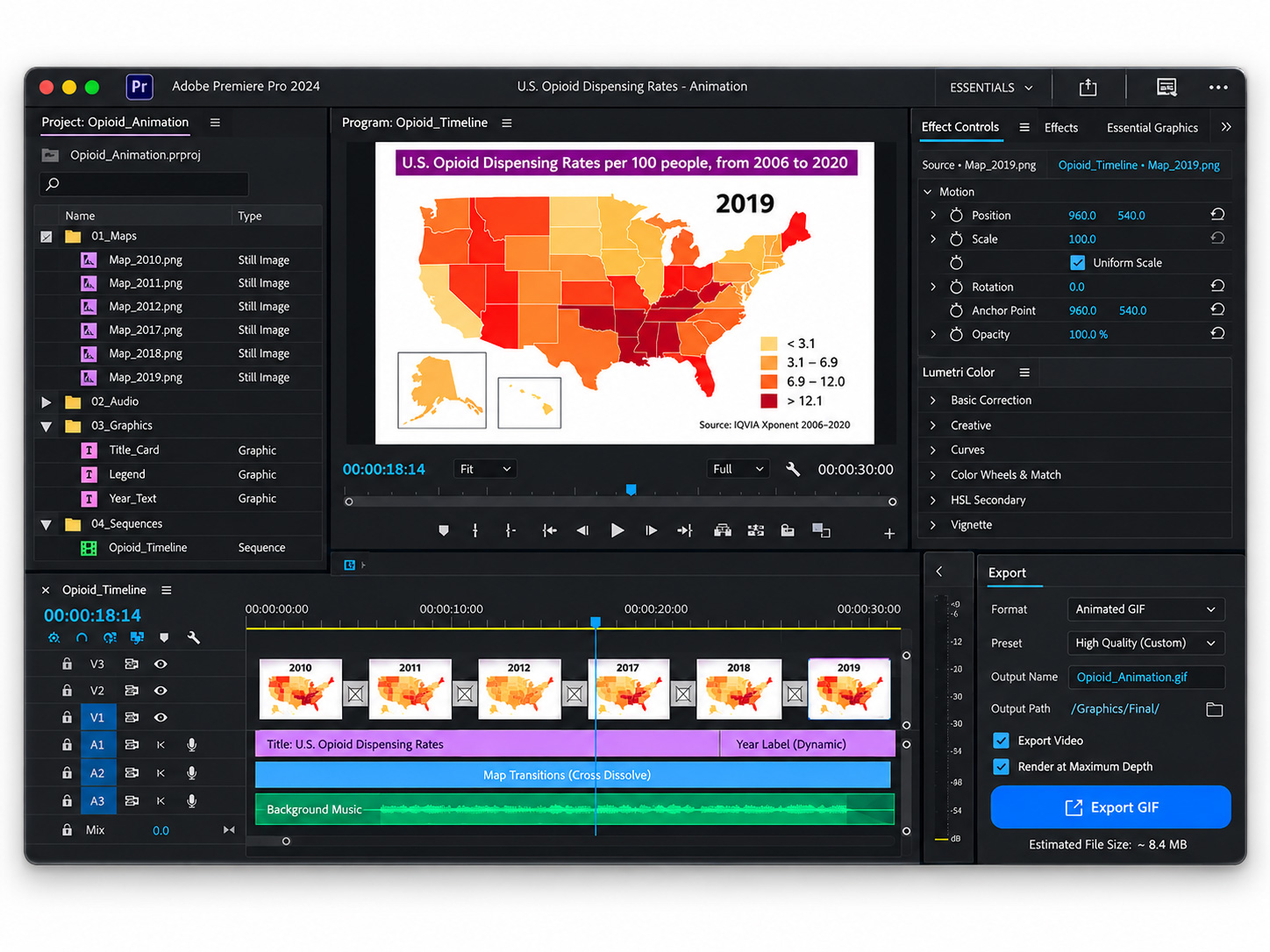
Sequence the data story
I used Premiere Pro to arrange the year-based frames, control timing and pacing, review the visual rhythm, and prepare the motion sequence for the final animated deliverable.
Motion design
The motion is deliberately restrained because the data, not the animation effect, is the subject.
The sequence uses a repeatable frame structure so attention stays on the state color changes. By holding the layout steady and changing the data state over time, the motion creates continuity, supports comparison, and gives the audience enough time to register the broader pattern before the next year appears.
-
01
Establish
Introduce the visual grammar: title, map, year, four-rate legend, source, and CDC identity.
-
02
Hold
Keep the geographic structure and supporting interface elements fixed so they become familiar reference points.
-
03
Change
Update the state category colors and year marker so the audience sees the data—not the layout—changing.
-
04
Resolve
End on the 2020 frame, allowing the final distribution to function as the visual conclusion to the time-based story.
End result
A complex public-health dataset became a concise visual story designed for faster understanding.
The final animation reduced the amount of interpretation required from the viewer. Instead of moving between tables, state names, and yearly values, the audience could use one consistent visual language to recognize geographic patterns and follow how dispensing-rate categories changed across the timeline.
Data made visible
Rate categories were converted from analytical values into a geographic pattern that can be scanned and compared quickly.
Clearer information hierarchy
The map, year, legend, and supporting context each have defined visual roles, reducing competition for attention.
Motion with purpose
The animation adds time and progression to the data while preserving a stable interface for comparison.
Design perspective